Message encryption data using Python
 Chethan kumar
Dec 19, 2021
Chethan kumar
Dec 19, 2021
We are going to encode and decode the messages given by the user by using Tkinter and base64 libraries in Python language.
Download the Zip file and extract it to the folder
Before Running the program you have to install some libraries such as Tkinter and base64.After installing the libraries run the program on your computer.
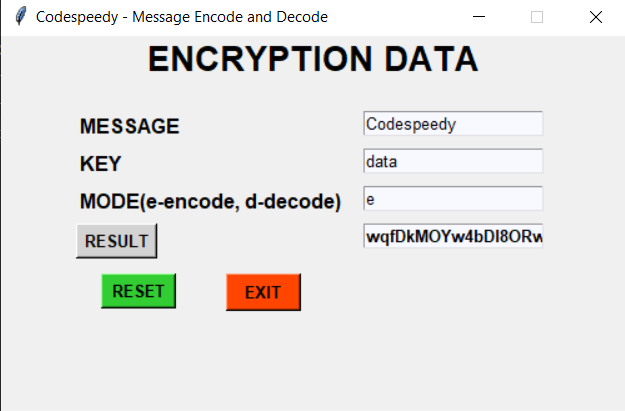
After running the program user can see the GUI using Tkinter where the user can work easily in the GUI
The GUI looks like this:

The user has to enter the message as input which he/she wanted to encode or decode and they have to select the KEY to encode/decode the message
in the next step you have to select the mode as encode for 'e' and decode for 'd'.
Providing the same KEY is mandatory while decoding.
Below is an example for Encode and Decode a message

Project Files
| .. | ||
| This directory is empty. | ||
